Monologue vs Otter

Monologue covers voice across the Apple workflow, while Otter is a cloud meeting platform built around automated attendance, live transcripts, and collaboration.

Last reviewed

Is Monologue a good Otter alternative?

For Apple users who want voice across their whole workflow, we recommend Monologue. It combines dictation, personal capture, meeting notes, and agent access. Otter is a specialized cloud meeting platform built around automated attendance, live transcripts, collaboration, and enterprise controls.

Where Otter is strong

Otter Notetaker can auto-join supported meetings as a visible participant, create a live transcript, identify speakers, generate summaries, and let teammates collaborate during the call.

It supports recording imports, broad platforms, workspaces, retention controls, SSO, SCIM, MCP, and an Enterprise API with webhooks.

Where Monologue is stronger

Monologue writes into other applications, captures quick personal notes and ideas, records calls and meetings, and keeps those surfaces inside one Apple-first product.

It includes iPad and Apple Watch plus local, offline dictation on Mac, and exposes Notes through MCP, API, and CLI.

Comparison at a glance

Product details and plan limits can change. Verify hard requirements before purchasing or deploying.

Monologue compared with Otter
CriterionMonologueOtter
PlatformsMac, iPhone, iPad, and Apple WatchWeb, iPhone, Android, and desktop access on Mac and Windows
System-wide dictationYes — on Mac and through the iOS keyboardNo — focused on meetings, recordings, and transcripts
Offline / localOn-device and offline on Mac; cloud processing is also availableNo — transcription and AI processing are cloud-based
Languages100+Public help pages list a narrower set than some product claims; verify current support for your required languages
Custom words / dictionaryCustom dictionary synced across Apple devicesPersonal and team vocabulary; limits vary by plan
File transcriptionNo dedicated file-upload workflowAudio and video imports; limits vary by plan
Meeting notesMicrophone and system-audio capture, speaker separation, summaries, action items, and syncLive transcription, summaries, action items, and speaker identification
Agent accessNotes through MCP, API, and CLIMCP; public API and webhooks on Enterprise
PrivacyLocal Mac option; cloud dictation audio is deleted immediately; no server-saved dictation audio or transcripts; zero-retention AI providers; Notes are stored to syncCloud-stored recordings and transcripts. Otter may use de-identified audio and transcripts to improve its models; sharing for training can be disabled. Enterprise adds retention controls
Security / compliancePrivacy-first safeguards: local Mac processing, immediate deletion of cloud dictation audio, zero-retention AI providers, and secure Notes sync. Public SOC 2, ISO 27001, SSO, and HIPAA details are not currently listedSOC 2 Type II; encryption in transit and at rest; Enterprise SSO/SCIM; HIPAA requires a signed BAA and configuration
TeamsCentralized billing for Apple-first teams; dictionaries and workflow personalization remain user-level todayWorkspaces, admin analytics, retention, permissions, SSO/SCIM, integrations, and enterprise API access
Meeting capture methodCapture inside Notes without a visible meeting participantOtter Notetaker can auto-join Zoom, Google Meet, and Microsoft Teams as a visible participant
Live collaboration and automationFocused on personal capture and synced notesLive captions, speaker labels, highlights, comments, sharing, auto-join, and concurrent meetings on higher plans
FreeFree trial: 1,000 dictation words and 10 recorded notes300 transcription minutes/month, 30 minutes/conversation, 25 recent conversations, and 3 lifetime file imports
PricingUS$15/month or US$12/month billed annuallyUS$16.99/month or US$8.33/month billed annually; Business US$19.99/user/month billed annually; Enterprise custom

Watch Monologue take on Otter

The differences that matter most

Do you need dictation across every app?

Monologue turns speech into text where you are already working. Otter is centered on meetings, recordings, transcripts, and imported files.

Should a meeting agent join automatically?

Otter can join supported calendar meetings as a visible guest. Monologue keeps meeting capture inside a personal Apple voice workflow.

How much live collaboration do you need?

Otter is stronger for live transcripts, annotations, channels, sharing, and team administration. Monologue is stronger for individual and Apple-first team productivity.

Do you need offline or local processing?

Monologue can process dictation locally and offline on Mac. Otter's meeting agent, transcription, and AI features are cloud services.

Which platforms and languages matter?

Monologue supports Mac, iPhone, iPad, and Apple Watch and advertises more than 100 languages. Otter offers web, Mac, Windows, iOS, and Android access. Otter's public help documentation lists a narrower set of transcription languages, so verify the current language list for your team before choosing.

Recommendation

Choose based on the workflow constraint that would genuinely block adoption.

For Apple-first work

Monologue writes into other applications, captures quick personal notes and ideas, records calls and meetings, and keeps those surfaces inside one Apple-first product.

Where Otter fits

Otter Notetaker can auto-join supported meetings as a visible participant, create a live transcript, identify speakers, generate summaries, and let teammates collaborate during the call.

Bottom line

Choose Monologue when the primary job is voice across the whole Apple workflow. Choose Otter when an automated meeting participant, live collaborative transcripts, recording imports, Android or Windows access, or enterprise meeting administration is the core requirement. Do not choose between them as if they were interchangeable note-takers — first decide whether the primary job is voice across the whole workflow or a managed system for meetings.

What to test before choosing

Run the same real-world tasks in both products before committing.

  1. Your real work

    • Dictate into the apps where you work and confirm whether Otter can serve that need.
    • Let Otter Notetaker join a real Zoom, Meet, or Teams call and evaluate the visible-bot experience.
  2. Your hard constraints

    • Compare live transcript quality, speaker identification, collaboration, summaries, and action items.
    • Import representative recordings and verify the limits on the plan you would buy.
  3. Your final check

    • Test your required language and custom vocabulary.
    • Review training-sharing, retention, HIPAA, and Enterprise API requirements.

Frequently asked questions

Is Monologue a good Otter alternative?

Yes for Apple users who want bot-free meeting capture plus dictation, personal notes, offline Mac processing, and Apple Watch support. Otter remains stronger for visible auto-joining meeting agents, live transcript collaboration, imports, and enterprise meeting administration.

Can Otter dictate into other apps?

Otter is primarily a meeting transcription product. Monologue inserts dictated text into the app and text field where you are already working.

Can Otter join a meeting when I am absent?

Yes. Otter Notetaker can join supported calendar meetings as a visible guest, subject to permissions and plan limits.

Which app is better for collaborative transcripts?

Otter is stronger for live transcripts, annotations, speaker labels, channels, and administration. Monologue is stronger for combining meetings with everyday dictation and personal capture.

Which app has broader platform support?

Otter supports web, Mac, Windows, iOS, and Android. Monologue focuses on Mac, iPhone, iPad, and Apple Watch.

Can either product work offline?

Monologue supports local, offline dictation on Mac. Otter's transcription, meeting agent, and AI workflows are cloud-based.

How do their privacy models differ?

Monologue can keep dictation processing on the Mac; when cloud dictation is used, audio is deleted immediately and dictation audio and transcripts are not saved server-side. Otter stores recordings and transcripts in the cloud and may use de-identified data to improve its models; users can disable sharing for training.

Try Monologue

Write, capture conversations, and keep spoken context useful across your Apple devices.

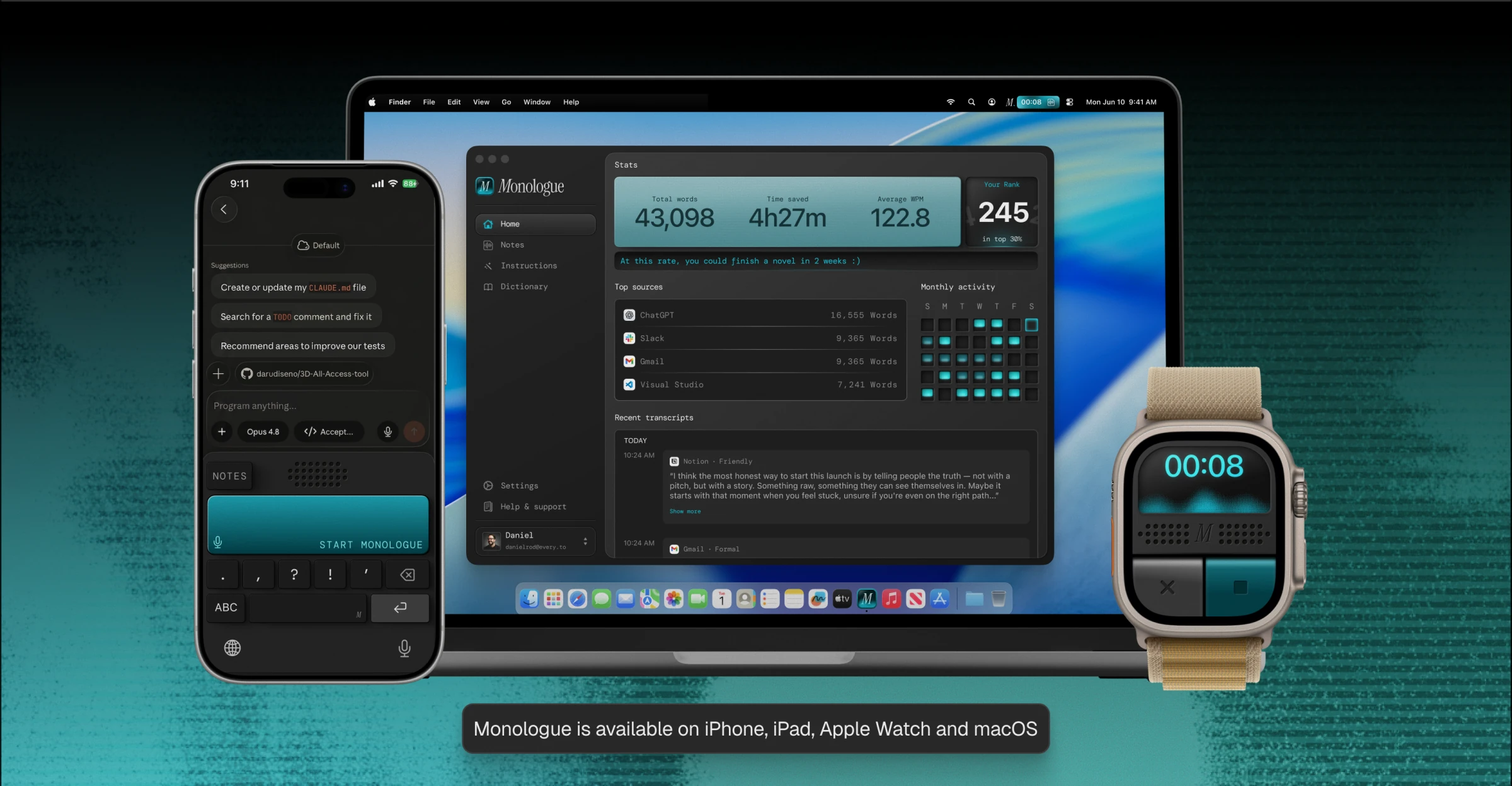
Monologue running on iPhone, MacBook, and Apple Watch. Monologue is available on iPhone, iPad, Apple Watch, and macOS.