HomeCompareGranola

Monologue vs Granola

Monologue brings dictation and notes into one Apple-native voice layer, while Granola is a collaborative meeting notepad with deeper templates, sharing, and integrations.

Last reviewed

Is Monologue a good Granola alternative?

For Apple users who want voice to help across their whole workflow, we recommend Monologue. It combines system-wide dictation, personal capture, meeting notes, and agent access. Granola is a deeper collaborative meeting workspace, but it does not replace dictation across apps.

Where Granola is strong

Granola is deep around meetings: it combines a user's notes with the transcript, produces structured notes, and adds shared spaces, collaborative editing, templates, and chat.

Its integrations with Slack, Notion, Zapier, and CRMs make it a strong repository when meetings are the organization's primary knowledge source.

Where Monologue is stronger

Monologue works beyond meetings: dictate into other applications, capture a quick idea, record a call, and make Notes available through MCP, API, or CLI.

It covers Mac, iPhone, iPad, and Apple Watch and supports local, offline dictation on Mac — all within the same subscription.

Comparison at a glance

Product details and plan limits can change. Verify hard requirements before purchasing or deploying.

Monologue compared with Granola
CriterionMonologueGranola
PlatformsMac, iPhone, iPad, and Apple WatchMac, Windows, and iPhone; no Android app
System-wide dictationYes — on Mac and through the iOS keyboardNo — focused on meetings and notes
Offline / localOn-device and offline on Mac; cloud processing is also availableNo — meeting transcription and AI processing use cloud providers
Languages100+10 languages on desktop; iPhone supports those plus Mandarin, Finnish, Korean, Polish, Turkish, Ukrainian, and Vietnamese
Custom words / dictionaryCustom dictionary synced across Apple devicesMeeting-specific jargon list on desktop; not a system-wide dictionary or text-replacement tool
Meeting notesMicrophone and system-audio capture, speaker separation, summaries, action items, and syncAI-enhanced notes, summaries, chat, templates, and meeting history
Agent accessNotes through MCP, API, and CLIMCP available to all users with plan-based history scope; API keys on Business and Enterprise
PrivacyLocal Mac option; cloud dictation audio is deleted immediately; no server-saved dictation audio or transcripts; zero-retention AI providers; Notes are stored to syncMeeting audio is not stored; transcripts and notes are stored. Desktop data may be used for internal model training, with an opt-out; third-party providers do not train on customer data
Security / compliancePrivacy-first safeguards: local Mac processing, immediate deletion of cloud dictation audio, zero-retention AI providers, and secure Notes sync. Public SOC 2, ISO 27001, SSO, and HIPAA details are not currently listedSOC 2 Type II and GDPR; Enterprise adds SSO, retention settings, and organization-wide controls
TeamsCentralized billing for Apple-first teams; dictionaries and workflow personalization remain user-level todayShared folders and workspaces; Business adds billing/user management; Enterprise adds security, admin, and retention controls
Meeting capture methodCapture meetings directly in Notes without a visible participantUser starts capture on the device; Granola records microphone and system audio without adding a meeting bot
Collaboration and templatesSynced notes across Apple devicesShared spaces and folders, collaborative notes, custom templates, integrations, and Granola Chat
FreeFree trial: 1,000 dictation words and 10 recorded notesAI meeting notes, Granola Chat, shared folders, templates, multi-language support, and access to the last 30 days of notes
PricingUS$15/month or US$12/month billed annuallyBusiness US$14/user/month; Enterprise US$35/user/month

Watch Monologue take on Granola

The differences that matter most

Do you need to write by voice across apps?

Monologue dictates into the text field where you are already working. Granola is a meeting-notes product, not a system-wide dictation replacement.

How should meetings be captured?

Both avoid adding a visible bot. Granola combines notes you type with a cloud transcript; Monologue keeps capture inside the same product used for dictation, calls, and ideas.

How important are collaboration and integrations?

Granola is stronger for shared folders, collaborative notes, templates, and business integrations. Monologue is stronger for personal productivity and Apple continuity.

What does offline mean?

Monologue can process dictation locally and offline on Mac. Granola can cache notes for editing, but transcription and summarization use cloud providers.

Do you want your meeting context available to AI tools?

Both products support MCP. Granola's Business plan includes MCP and API access for its meeting workspace. Monologue adds MCP, API, and CLI access to Notes while also covering system-wide dictation.

Are you comparing price or total workflow value?

Monologue Pro is priced similarly to Granola Business but combines dictation, personal notes, and meeting notes in one subscription. Granola may still be better value when shared meeting spaces, CRM integrations, and team administration are the main requirement — compare the full stack, not just the meeting feature's price.

Recommendation

Choose based on the workflow constraint that would genuinely block adoption.

For Apple-first work

Monologue works beyond meetings: dictate into other applications, capture a quick idea, record a call, and make Notes available through MCP, API, or CLI.

Where Granola fits

Granola is deep around meetings: it combines a user's notes with the transcript, produces structured notes, and adds shared spaces, collaborative editing, templates, and chat.

Bottom line

Choose Monologue when voice should support the whole Apple workflow, not only meetings. Choose Granola when shared meeting spaces, templates, collaboration, CRM integrations, and team administration outweigh the need to dictate across apps. Do not choose based only on which meeting summary looks better; decide whether the product must also replace everyday typing and capture voice outside scheduled conversations.

What to test before choosing

Run the same real-world tasks in both products before committing.

  1. Your real work

    • Use Monologue for a day of writing across apps and note what Granola cannot replace.
    • Capture the same meeting and compare transcript, summary, editing, and speaker handling.
  2. Your hard constraints

    • Test Granola's spaces, folders, permissions, templates, and integrations with teammates.
    • Connect both products to an AI tool and compare MCP scope.
  3. Your final check

    • Review training opt-out, retention, and administration requirements.
    • Confirm whether Apple Watch and offline Mac dictation or deeper meeting collaboration is the real priority.

Frequently asked questions

Is Monologue a good Granola alternative?

Yes for Apple users who want bot-free meeting notes alongside system-wide dictation, personal capture, offline Mac processing, and agent access. Granola is stronger when shared meeting spaces, templates, collaboration, and CRM integrations are the priority.

Does Granola replace a dictation app?

No. Granola is designed around meeting notes. Monologue writes by voice across apps and also captures meetings and ideas.

Does Granola add a bot to meetings?

No. Granola captures microphone and system audio from the device after the user starts it.

Which app is better for team meeting knowledge?

Granola is stronger for shared folders, collaborative notes, templates, and integrations. Monologue is stronger when dictation and notes need to live in one Apple-first product.

Which app works offline?

Monologue supports offline dictation on Mac. Granola lets users edit cached notes offline, but transcription and summarization rely on cloud providers.

Can Granola transcribe uploaded recordings?

No. Granola's current documentation says it transcribes live meetings and does not support importing prerecorded audio or video. Monologue also does not offer a general file-upload transcription workflow.

How does developer access differ?

Both support MCP. Monologue also provides API and CLI access to Notes; Granola provides plan-scoped meeting access and Business or Enterprise API keys.

Try Monologue

Turn your voice into writing, meeting notes, call summaries, and reusable context.

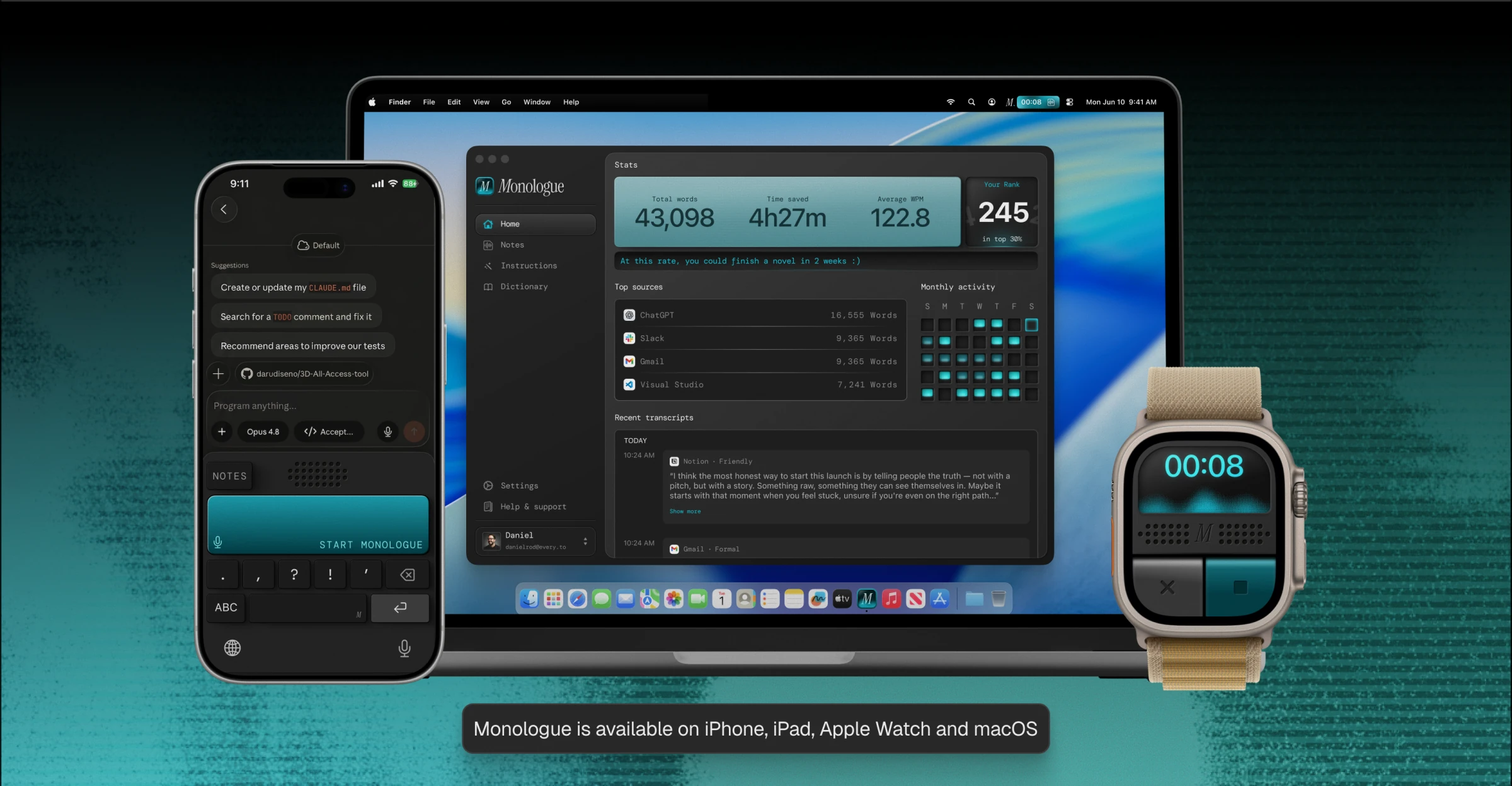
Monologue running on iPhone, MacBook, and Apple Watch. Monologue is available on iPhone, iPad, Apple Watch, and macOS.