Changelog

Every public release we ship across Monologue for Mac and iOS.

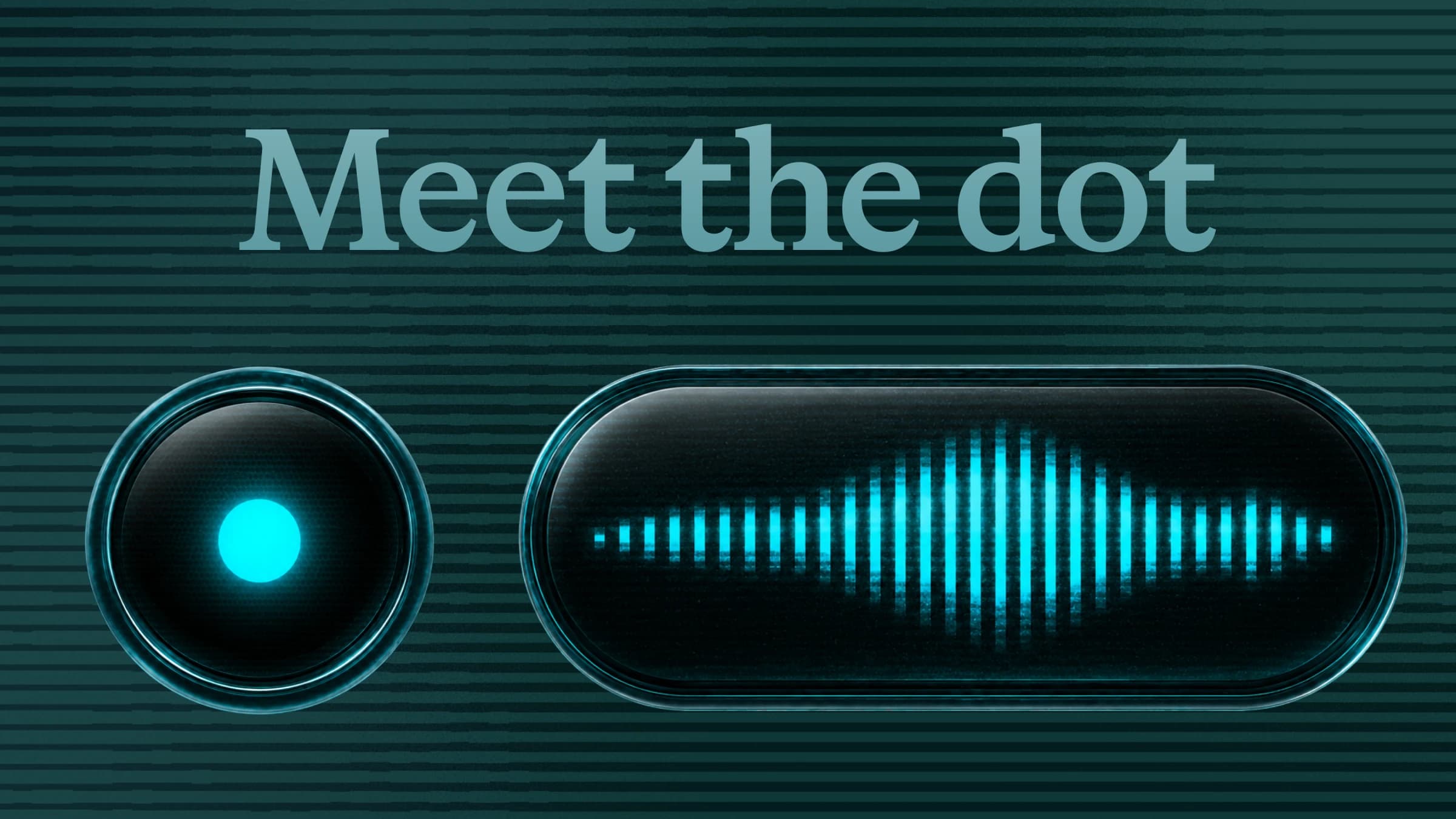
Meet the dot above Monologue’s circular idle indicator and waveform recorder.
macOSv1.5.0Build 99

Meet the Dot

Dot is a new recorder that stays close to where you’re writing and moves with you as you work.

Meet Dot

Dot is a new recorder that stays close to where you’re writing and moves with you as you work.

  • See where your text will appear: Dot sits beside the active writing field and shows when Monologue is listening and turning your speech into text.
  • Move between apps: Switch apps while you record and Dot follows your pointer. Monologue remembers where you started and inserts the finished text there.
  • Keep working without interruption: When you’re not recording, Dot stays out of the way.
  • Choose what works for you: Hide Dot, turn it off in individual apps, or switch back to Classic at any time.
  • Report placement issues: If Dot appears in the wrong place, click it and select “Report” so we can investigate and fix it.

To try Dot, update to Monologue for Mac v1.5.0 and go to Settings → Dictation → Indicator → Dot.

Improvements

  • Save the original audio from a completed Note using the More menu.
  • Choose a 30-minute, one-hour, two-hour, or three-hour recording limit for Notes. Monologue warns you before saving automatically.
  • Home is now called Dictations, with clearer instructions.
  • Recording starts more smoothly, and typing in the feedback form is faster.

Fixes

  • Fixed Notes recording with multichannel microphones and audio interfaces, including Focusrite Vocaster devices.
  • Fixed pasting and shortcuts across keyboard layouts and input methods.
  • Removed unwanted spaces before dictated text.
  • Fixed meeting detection for Google Meet Chrome apps.
  • Fixed menu bar actions that open Settings, Help, microphone settings, and onboarding.
  • Fixed Notes jumping in the list after returning from or deleting a note.
iOSv1.1.2

Faster dictation and more reliable Notes

Real-time dictation is now the default, with better speaker management, recording recovery, and synchronized settings.

What’s new

  • Real-time dictation is now the default for a faster writing experience.
  • Rename speakers, mark yourself, and manage participants more easily in Notes.
  • Find and export recoverable recordings from Settings → Help Center.
  • Keyboard mode changes now stay in sync.

Improvements

  • Quick Dictation no longer pauses other audio.
  • Improved recording times, speaker colors, and Notes reliability.
macOSv1.4.2Build 96

A smaller indicator, smarter audio controls

Try the Mini indicator, control media by output device, and manage speakers directly in Notes.

New features

  • Try the Mini indicator in Settings → General → Indicator → Mini.
  • Choose whether each audio output—speakers, headphones, or AirPods—mutes, pauses, or leaves media alone during dictation.
  • Rename speakers, mark yourself, and preview voice samples in Notes.
  • Play and pause directly from transcript history cards.

Improvements

  • Dictation is faster, referral links use your current share URL, and in-app updates are more reliable.

Fixes

  • Fixed distorted system audio, two-channel microphone capture, timestamps, ordering, and speaker colors in Notes.
  • Fixed indicator visibility settings, leading spaces after Shift+Enter in Slack, and long tags pushing dates off-screen.
iOSv1.1.1

A better keyboard and more reliable Notes

Refreshed suggestions and autocorrection, safer recording recovery, tags, and stronger Watch uploads.

Keyboard

  • Refreshed the QWERTY keyboard with better suggestions and autocorrection.
  • Improved stop and cancel controls and clarified audio behavior.
  • Updated supported dictation languages.

Notes and Watch

  • Interruptions no longer put recordings at risk, and original recording timestamps are preserved.
  • Added tags and improved reopening past Notes.
  • Apple Watch recordings can continue uploading in the background more reliably.
macOSv1.4.1Build 93

Faster, more flexible Notes

Record Notes back to back, manage tags inline, and choose when you receive new Mac releases.

Notes

  • Record back-to-back Notes while earlier recordings upload and process in the background.
  • Create, assign, rename, and remove tags directly from a note.
  • Scroll more smoothly through long and older Notes.

Dictation and updates

  • Fixed shortcuts activating from the wrong modifier key or after incomplete setup.
  • Improved local transcription setup, model download status, and automatically updating language support.
  • Choose Stable or Beta updates in Settings → Help.
iOSv1.1

More powerful Notes and multilingual dictation

Dictate in up to three selected languages—or auto-detect from 100+—and take fuller control of Notes.

Multilingual dictation

  • Choose up to three languages or let Monologue automatically detect from more than 100.
  • Add personal context in About Me to improve how Monologue understands names and vocabulary.

More powerful Notes

  • Add and filter by tags, edit titles and summaries, manage speakers, and regenerate a Note.
  • Copy in multiple formats and connect Notes to webhook workflows.
  • Improved processing and recording reliability.
macOSv1.4.0Build 84

Notes, reworked

A substantial update to recording, processing, navigation, and integrations across Monologue Notes.

A major Notes update

  • Improved the Notes recording and processing experience, with clearer progress and more reliable recovery.
  • Made summaries, transcripts, speaker information, timestamps, and copying easier to read and use.
  • Reorganized Notes settings and integrations so recording shortcuts, meeting detection, and connected tools are easier to find.
  • Added broad interface, performance, and stability improvements across the Mac app.
macOSv1.3.0Build 83

Better Notes from capture to summary

More dependable recording and processing, richer summaries, and a cleaner Notes workflow.

Notes improvements

  • Improved capture and processing reliability for newly recorded Notes.
  • Made summaries and transcripts easier to browse, copy, and share.
  • Refined speaker and timestamp presentation throughout a Note.
  • Added performance and interface improvements across Notes and dictation.
macOSv1.2.1Build 81

Following Cursor mode

Keep Monologue close to where you type, with better placement, lower idle CPU use, and more reliable Notes.

Following Cursor

  • Added Following Cursor mode and improved the indicator near screen edges, multiple displays, the Dock, and the menu bar.
  • Choose whether the idle indicator is hidden when you are not dictating.
  • Improved placement in single-line fields and stopped it appearing in read-only fields and web checkboxes.
  • Reduced idle CPU use from cursor tracking.

More improvements

  • Fixed paste routing around popups and helper-owned focus, plus Chrome Meet web app detection.
  • Added an iPhone awareness card, full Whisper language support, Notes processing status, and new summary copy formats.
  • Improved short recordings, blocked-audio handling, and update feed reliability.
iOSv1.0.9

Dictate with the Action Button

Start Monologue from the Action Button, with stronger Live Activities, Control Center, Notes, and AirPods support.

What’s new

  • Set up the Action Button to start dictating through a guided Shortcut flow.
  • Start and manage dictation from Live Activities and Control Center.
  • Browse, copy, and share Notes more easily.
  • Improved AirPods support and settings sync.

Reliability

  • Switching apps or keyboards during dictation is more dependable.
  • Canceled recordings are saved so recoverable work is not lost.
  • Added a period key for URL entry and fixed several keyboard details.
macOSv1.2.0Build 80

Monologue stays close to your cursor

A new way to see dictation status near the place where your words will appear.

What’s new

  • Added the first version of Following Cursor mode for a more direct dictation experience.
  • Improved placement and interaction around different apps, displays, and text fields.
  • Added reliability and interface refinements across dictation and Notes.
iOSv1.0.8

Keyboard audio hotfix

A focused update for more reliable audio-session behavior while using the Monologue keyboard.

Hotfix

  • Fixed audio-session behavior that could interrupt or block recording from the keyboard.
iOSv1.0.7

Safer recordings across iPhone and Watch

Better recovery from interruptions, more dependable Watch sync, and customizable keyboard feedback.

Reliability

  • Improved Notes recovery when calls and other interruptions occur.
  • Made Apple Watch recording sync more dependable.
  • Fixed stuck recording and processing states.

Keyboard

  • Added keyboard layout and height preferences.
  • Added a setting for haptic feedback and refined keyboard behavior.
macOSv1.1.5Build 79

Notes reliability and polish

Smoother processing, clearer controls, and broad refinements across Notes and dictation.

Improvements

  • Improved Notes recording, processing, and status updates.
  • Refined summary and transcript presentation and copying.
  • Added interface polish and reliability improvements across the Mac app.
iOSv1.0.6

A redesigned Notes experience

Richer Note lists and details, clearer summaries and speakers, recovery tools, Watch queuing, and MCP setup.

Notes, redesigned

  • Redesigned the Notes list and detail views for summaries, transcripts, speakers, and playback.
  • Added clearer recovery for interrupted or pending recordings.
  • Improved Apple Watch queuing so recordings sync when a connection returns.
  • Added guided setup for connecting Notes through Monologue MCP.
macOSv1.1.4Build 78

Clearer Notes, cleaner settings

Formatted summaries, better copy behavior, and a more dependable path from recording to finished Note.

Improvements

  • Notes summaries now render formatted Markdown.
  • Copying transcripts and summaries handles speakers, timestamps, and titles more cleanly.
  • In-progress Notes update toward transcript and summary completion without a manual refresh.
  • Notes settings are organized more clearly, with interface polish across the app.
macOSv1.1.3Build 77

Notes processing gets smoother

Better formatted summaries, cleaner copying, automatic processing updates, and a more consistent shortcut experience.

Improvements

  • Notes summaries now use formatted Markdown.
  • Transcript and summary copying is cleaner, including speaker and timestamp formatting.
  • In-progress Notes update automatically as processing finishes.
  • Improved hotkey timing around quick release, hands-free double tap, and very short recordings.

Fixes

  • Fixed feedback popover rendering and selection, including first-click behavior and Command-Enter to send.
macOSv1.1.2Build 76

Faster menu bar access

A hotfix for menu bar slowness, with the full Monologue Notes experience included.

Hotfix

  • Fixed menu bar item slowness.

Notes

  • Record long-form Notes, capture system audio, browse summaries and transcripts with speaker separation, search, share, and connect Notes to MCP, CLI, or API workflows.
macOSv1.1.1Build 75

Record Notes from the keyboard

A dedicated Note shortcut, MCP connection, resettable modes, and more reliable meeting prompts.

What’s new

  • Press Control-M to start a Note and press it again to stop. The shortcut is customizable.
  • Connect Monologue Notes to supported IDEs and AI agents through Monologue MCP.
  • Reset custom modes to Monologue’s defaults from Instructions settings.

Improvements

  • Meeting prompts work more reliably across Spaces and fullscreen apps, with clearer actions.
  • Switch between Dictation and Notes in the open menu bar popover without closing it.
  • Added confirmations before pausing or saving a Note recording.
iOSv1.0.5

A better Notes experience on Apple Watch

A redesigned Watch Notes flow, smoother handoff to Mac, and reliability improvements throughout recording.

What’s new

  • Redesigned Notes on Apple Watch for faster access and clearer recording status.
  • Open a Note on your Mac from the connected Monologue experience.
  • Improved recording, syncing, and interface reliability.
macOSv1.1.0Build 74

Introducing Monologue Notes

Record meetings and ideas, then receive searchable summaries and transcripts with speaker separation.

Monologue Notes

  • Record long-form Notes from the sidebar or menu bar, with pause, resume, cancel, and system-audio capture.
  • Recover interrupted recordings and receive summaries and transcripts with speaker separation.
  • Search, share, and delete past Notes.
  • Connect Notes to MCP, CLI, or API workflows.

Fixes

  • Fixed a Mac interface freeze caused by slow browser AppleScript responses.
macOSv1.0.71Build 72

Better silence detection

More accurate transcripts with fewer unwanted phrases from silent or near-silent recordings.

Improvements

  • Reduced hallucinated text in transcriptions.
  • Fixed silent recordings producing unwanted phrases such as “thank you.”
  • Improved silence detection and focused the recording pipeline more closely on speech.
  • Added general interface polish and cleanup.
macOSv1.0.72Build 73

Intel Mac crash hotfix

A focused hotfix for an Intel Mac crash, including the latest silence and accuracy improvements.

Hotfix

  • Fixed a crash affecting Intel Macs.
  • Includes the v1.0.71 improvements for silence handling and transcription accuracy.
macOSv1.0.70Build 71

Menu bar stability hotfix

A focused fix for a crash introduced around the recent Mac redesign.

Hotfix

  • Fixed a crash that could happen from the menu bar item after the Mac redesign.
macOSv1.0.69Build 70

A redesigned Mac app

A cleaner sidebar and layout, microphone priority controls, and early API key management for Notes.

What’s new

  • Redesigned the sidebar and overall app layout.
  • Auto-detect your microphone or choose and reorder preferred microphones.
  • Eligible Beta users can create and revoke personal API keys for Notes directly from the app.
iOSv1.0.4

More resilient recording and keyboard controls

Recovery improvements, dictionary actions in the keyboard, and fixes for Live Activities and app handoff.

What’s new

  • Added dictionary actions to the QWERTY keyboard.
  • Added guidance for the iOS 26.4 Return-key behavior.
  • Remembered the last-opened Note tab.

Fixes

  • Improved recovery, keyboard state, and Live Activity state.
  • Fixed opening the app after stopping a recording.
macOSv1.0.68Build 69

Blazing Fast mode

Use a faster raw transcript in selected AI apps and websites, with better shortcut setup and paste reliability.

What’s new

  • Added Blazing Fast mode for places where speed matters most, including ChatGPT and other AI apps.
  • Choose apps or websites in Instructions and Monologue automatically uses a faster raw transcript there.
  • Improved shortcut setup with live verification and clearer settings.
  • Made paste behavior more reliable in browsers and difficult text fields.
  • Added a sidebar card when an update is available.
macOSv1.0.67Build 68

Performance and reliability

Bug fixes and performance improvements across Monologue for Mac.

Improvements

  • Added performance improvements and bug fixes across dictation and the Mac app.
iOSv1.0.3

More account and privacy control

Change your account email, manage data and privacy settings, choose the built-in mic, and recover more reliably.

What’s new

  • Change your account email from the app.
  • Added clearer Data & Privacy controls.
  • Choose the built-in microphone for recording.

Improvements

  • Improved recording recovery and keyboard reliability.
macOSv1.0.66Build 67

Faster starts and a quicker mode picker

Change your account email, switch modes while recording, and start dictating more smoothly.

What’s new

  • Change your account email directly from the Mac app.
  • Tap Right Shift while recording, then use arrow keys or 1–9 to switch modes.
  • Improved hands-free double-tap behavior and moved app and URL detection away from the critical recording path.
  • Expanded text-context support in Firefox, Zen Browser, and Citrix.
iOSv1.0.2

More dependable dictation everywhere

Live Activity preferences, stronger authentication, and fixes across dictation, Notes, keyboard, and recording.

Improvements

  • Added preferences for Live Activities.
  • Improved authentication, dictation, and Notes reliability.
  • Fixed keyboard and recording edge cases.
  • Refined privacy controls and explanations.
macOSv1.0.65Build 66

More reliable fullscreen capture

Stability fixes for the floating panel and better active-window capture in fullscreen and complex display setups.

Improvements

  • Improved stability on macOS 26.2 around the floating transcript panel and helper overlays.
  • Fullscreen OCR now captures the correct active window more reliably.
  • Added a Beta Mode toggle for eligible users.
  • Improved feedback submissions from transcript history with better context.
iOSv1.0

Monologue comes to iPhone

Dictate from a custom keyboard, capture long-form Notes, and keep recordings close across iPhone, iPad, and Apple Watch.

The first iOS release

  • Dictate into any app from the Monologue keyboard.
  • Capture longer thoughts and conversations with Monologue Notes.
  • Record from Apple Watch and continue your workflow across Apple devices.
iOSv1.0.1

Performance and bug fixes

The first reliability update for Monologue on iPhone, iPad, and Apple Watch.

Improvements

  • Improved performance and fixed early issues across dictation, the keyboard, Notes, and recording.
macOSv1.0.64Build 65

macOS 26.2 crash hotfix

A focused fix for a crash affecting a small number of devices on macOS 26.2 and later.

Hotfix

  • Fixed a crash affecting some devices on macOS 26.2 and later.
macOSv1.0.63Build 64

More dependable sync

Improved sync behavior across Monologue for Mac.

Improvements

  • Improved sync reliability.
macOSv1.0.62Build 63

Sync crash and notarization hotfix

A focused hotfix for notarization and a crash affecting some users during sync.

Hotfix

  • Fixed a notarization issue.
  • Fixed a crash affecting some users during sync.
macOSv1.0.61Build 62

Transcription stability hotfix

A focused release for a crash affecting some recent transcription and sync workflows.

Hotfix

  • Fixed a crash affecting some users during recent transcription and sync workflows.
  • Added defensive handling around the affected path to keep recording sessions stable.
macOSv1.0.60Build 61

Settings sync and Sign in with Apple

Sync custom dictionaries and modes across Macs, with faster recording starts and better billing updates.

What’s new

  • Added settings sync for custom dictionaries and modes across signed-in Macs.
  • Added Sign in with Apple.
  • Added a 30-day and lifetime stats toggle on Home and remembered the selected view.
  • Improved subscription status updates after upgrades.
  • Made hotkey recording start faster and improved detection of quieter speech.
macOSv1.0.55Build 56

Easier sign-in and smarter spacing

Sign in with Google or Every, import dictionaries from other voice apps, and paste more naturally.

What’s new

  • Sign in with Google or an Every account.
  • Import custom vocabulary from SuperWhisper, Aqua Voice, or WhisperFlow.
  • Added ChatGPT Atlas browser support.
  • Smart spacing now responds to the cursor context where you dictate.

Fixes and improvements

  • Fixed extra spaces at the beginning of transcriptions and paste issues in Zed and WezTerm.
  • Reduced end-to-end latency and improved streaming reliability.
macOSv1.0.50Build 51

Faster local models, stronger privacy controls

Parakeet v3 brings efficient on-device transcription in 25 languages, alongside clearer data controls.

Parakeet v3

  • Added faster, more efficient on-device transcription across 25 languages.
  • Redesigned local model management with clearer progress, model status, language support, and switching.

Privacy and data

  • Choose whether to share dictations to help improve transcription quality.
  • Delete all local transcripts from Settings → Privacy.
  • Improved the monthly activity view and payment error handling.
macOSv1.0.45Build 46

Clearer billing, guided onboarding

A redesigned paywall, visible usage for free accounts, contextual onboarding help, and more reliable recording starts.

What’s new

  • Redesigned plan selection and billing with clearer Free, Pro, and Every choices.
  • Added lifetime usage, remaining quota, and direct upgrade access for free accounts.
  • Added contextual onboarding help with animations and live shortcut hints.
  • Centralized feature requests and bug reports in a new Help section.

Improvements

  • Very short recordings are discarded, and voice activity detection better recognizes quiet speech.
  • Fixed a persistent Dock help overlay and refined onboarding instructions.
macOSv1.0.43Build 44

Paste the last transcript instantly

New paste and cancel shortcuts, microphone selection, smarter spacing, and more reliable voice detection.

What’s new

  • Paste your latest transcript into the active app with a configurable shortcut, without changing the clipboard.
  • Set a dedicated Cancel Recording shortcut.
  • Choose the system default or a specific microphone from the menu bar or Settings.
  • Improved voice activity detection and prepares the model when the app starts.

Fixes

  • Improved hotkey recovery, left/right modifier handling, retry behavior, and context-aware spacing.
macOSv1.0.41Build 42

Dramatically lower latency

A faster dictation pipeline, quick mode switching, inline retries, and a redesigned onboarding experience.

What’s new

  • Moved dictation to a faster processing endpoint and optimized the complete pipeline.
  • Hold Right Shift while recording to switch modes or temporarily change auto-enter behavior.
  • Retry failed transcriptions directly from history.
  • Redesigned onboarding with clearer permissions, account setup, and tutorials.

Fixes

  • Improved permission refresh, screen-capture error handling, mode overrides, and raw-text recovery.
macOSv1.0.39Build 40

A new onboarding experience

A ground-up onboarding redesign with more reliable pasting, hotkeys, permissions, and local model setup.

What’s new

  • Redesigned welcome, model selection, tutorial, demo, sign-in, and permission steps.
  • Added background downloads for local models and yearly billing.

Fixes

  • Fixed text pasting and improved hotkey reliability, diagnostics, and stability.
macOSv1.0.38Build 39

Dictation from anywhere

Trigger recording from other apps with a URL scheme, alongside smoother recording and history interactions.

What’s new

  • Added monologue://record-dictation for starting a recording from external apps.
  • Improved the recording waveform, processing states, and monthly activity interactions.

Fixes

  • Fixed text selection overflow in collapsed transcripts, empty activity states, spacing, and interface polish.